About Blur Photo Editor & Mosaic
Blur Photo Editor & Mosaic lets you blur photos, cover faces, and add mosaic effects with a swipe. Use automatic face blur and background blur, or edit selected areas by hand. Blur photos with a swipe Move your finger...
Blur Photo Editor & Mosaic lets you blur photos, cover faces, and add mosaic effects with a swipe. Use automatic face blur and background blur, or edit selected areas by hand.
Blur photos with a swipe
Move your finger across a photo to blur the areas you choose. Apply a blur effect to the whole image or selected details, with different styles and adjustable strength.
Automatic face blur
Detect and blur faces automatically before sharing a photo. You can also cover faces manually with mosaic effects or stickers.
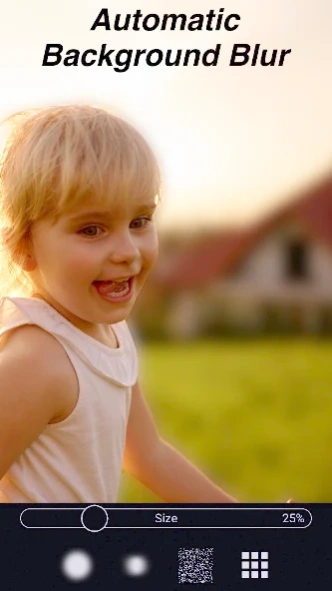
Automatic background blur
Blur the background to draw attention to your subject. Create a softer background automatically or blur selected areas by hand.
Mosaic blur and pixelation
Pixelate faces, text, or any part of an image you want to cover. Choose a block-style mosaic or a soft blur to suit your edit.
Remove unwanted objects
Remove unwanted objects and distracting details from your photos.
Remove photo backgrounds
Remove the background and keep the main subject for further editing.
Brushes, filters, and easy corrections
Explore different brushes, filters, and effects. Use the eraser to remove part of an applied effect, or undo a step to adjust your result.
Help protect your privacy
Censor text, documents, license plates, and other personal information before posting or sending a photo. Use blur, mosaic, or pixelation to cover details you do not want to share.
Faces and backgrounds can be blurred automatically. Text, license plates, and other sensitive details are selected manually. Check your edited photo before sharing to make sure the information you want to hide is sufficiently covered.
Previous Versions
Here you can find the changelog of Blur Photo Editor & Mosaic since it was posted on our website on 2025-10-22 17:30:23.
The latest version is 1.9.8 and it was updated on 2026-10-10 19:12:31. See below the changes in each version.
Blur Photo Editor & Mosaic version 1.9.8
Updated At: 2026-09-26
Changes: Fixed bugs.
Blur Photo Editor & Mosaic version 1.9.2
Updated At: 2026-08-29
Changes: Improved the brush editing feature.
Blur Photo Editor & Mosaic version 1.8.9
Updated At: 2026-08-16
Changes: Added a new My Stickers feature.
You can now turn your favorite photos into stickers and place them on your pictures.
Blur Photo Editor & Mosaic version 1.8.8
Updated At: 2026-07-20
Changes: Added screen rotation support for tablets.
Photo editing is now more comfortable on tablet devices.
Blur Photo Editor & Mosaic version 1.8.6
Updated At: 2026-07-12
Changes: Added a new text feature.
You can now add text to your photos and customize them more easily.
Blur Photo Editor & Mosaic version 1.8.2
Updated At: 2026-06-28
Changes: Improved the fluffy effect.
Blur Photo Editor & Mosaic version 1.7.7
Updated At: 2026-06-17
Changes: A new object removal feature has been added.
You can now remove unwanted people or objects from your photos and edit them more naturally.
Blur Photo Editor & Mosaic version 1.7.3
Updated At: 2026-06-02
Changes: Added a skin-smoothing feature.
Blur Photo Editor & Mosaic version 1.6.1
Updated At: 2026-05-06
Changes: Added new filters.
Blur Photo Editor & Mosaic version 1.5.7
Updated At: 2026-03-02
Changes: Bug fixes.
Disclaimer
Official Google Play Link
We do not host Blur Photo Editor & Mosaic on our servers. We did not scan it for viruses, adware, spyware or other type of malware. This app is hosted by Google and passed their terms and conditions to be listed there. We recommend caution when installing it.
The Google Play link for Blur Photo Editor & Mosaic is provided to you by apps112.com without any warranties, representations or guarantees of any kind, so access it at your own risk.
If you have questions regarding this particular app contact the publisher directly. For questions about the functionalities of apps112.com contact us.